The embeddable console
@bratsos/workflow-engine-console is an optional package that answers
"what happened to this run" without you building a screen for it. It is a
framework-agnostic (Request) => Promise<Response> handler plus a
prebuilt UI, mounted inside your own application.
It is optional in the strict sense: nothing in the engine depends on it, and nothing in it is required to run a workflow.
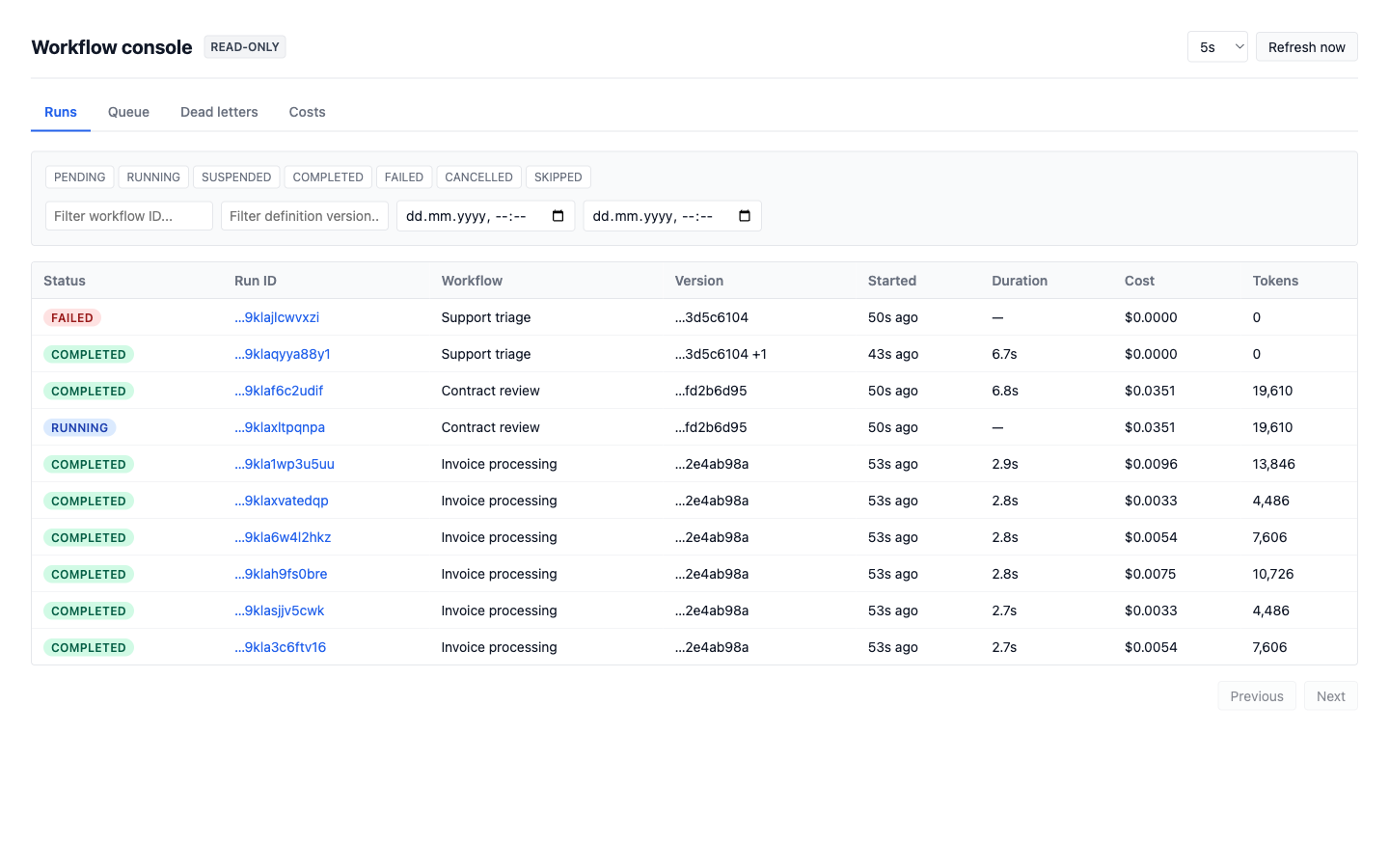
The Costs tab rolls the same run totals up by workflow or by day:
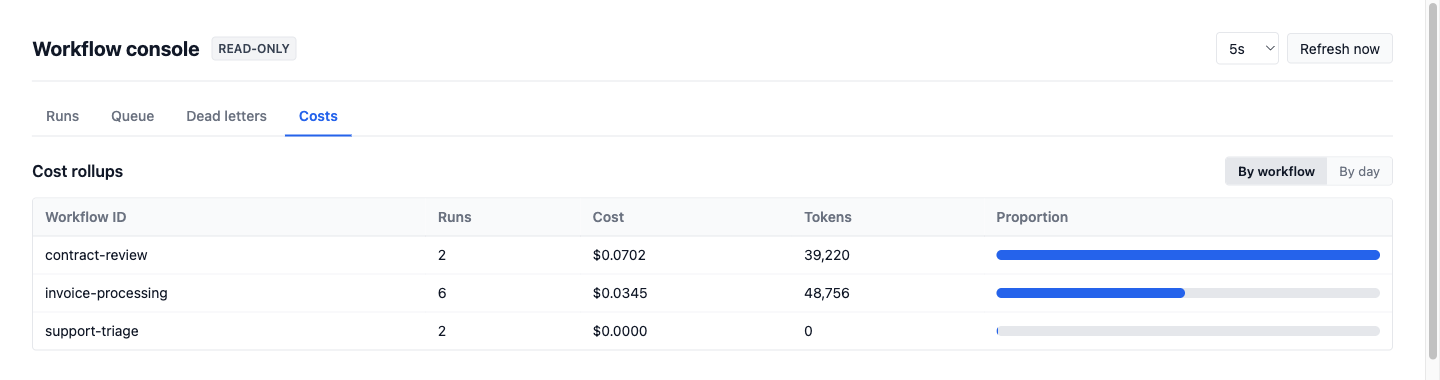
It never opens a connection
Engine state lives in your Postgres. If you run the kernel inside one transaction per tenant under row-level security, those policies are evaluated against the session the query runs in — so a separate dashboard process with its own connection string is a second session, and therefore a second security context. There is no configuration that recovers the tenant scoping: such a service either connects as a role that bypasses RLS and can see every tenant, or it cannot see anything.
So the console does not dial the database. You construct its read port from the client — or the transaction client — you already have, and its reads happen in your session, inside your transaction, with authentication already decided before the request reaches the handler.
Mounting it
A catch-all route handler is the whole integration. In the Next.js App
Router, at app/admin/console/[[...path]]/route.ts:
import {
  createPrismaConsoleReadPort,
  createWorkflowConsole,
} from "@bratsos/workflow-engine-console";
import { prisma } from "@/lib/prisma";
import { getSession } from "@/lib/auth";

export const runtime = "nodejs";
export const dynamic = "force-dynamic";

const handler = createWorkflowConsole({
  reader: createPrismaConsoleReadPort(prisma),
  authorize: async ({ request }) => {
    const session = await getSession(request);
    return session?.role === "operator" || session?.role === "admin";
  },
});

export { handler as GET, handler as POST };
Hono, Cloudflare Workers, Deno and Bun speak Request/Response
natively, so they call the handler directly. Express, Fastify and bare
node:http go through toNodeHandler from
@bratsos/workflow-engine-console/node. There is no per-framework adapter
package, and none is needed.
authorize is not optional in practice: omit it and every action is
denied, because a permissive default would leak a tenant's runs to anyone
who forgot a line of configuration. It runs after your authentication —
answer only "may this principal do this?".
Writes are off by default. actions: true needs a kernel, and every
write dispatches a kernel command (run.cancel, run.redrive,
step.signal, plugin.replayDLQ) rather than SQL, so the console gets the
kernel's leases, idempotency and outbox events and there is still exactly
one writer against run state. authorize is asked per action — the
vocabulary is runs.read, run.read, queue.read, suspended.read,
deadLetters.read, workers.read, costs.read, run.cancel, run.rerun,
step.signal and deadLetters.replay — and onAction is told afterwards,
which is your audit trail. A custom ConsoleKernel must accept run.redrive
and step.signal.
What the run detail shows
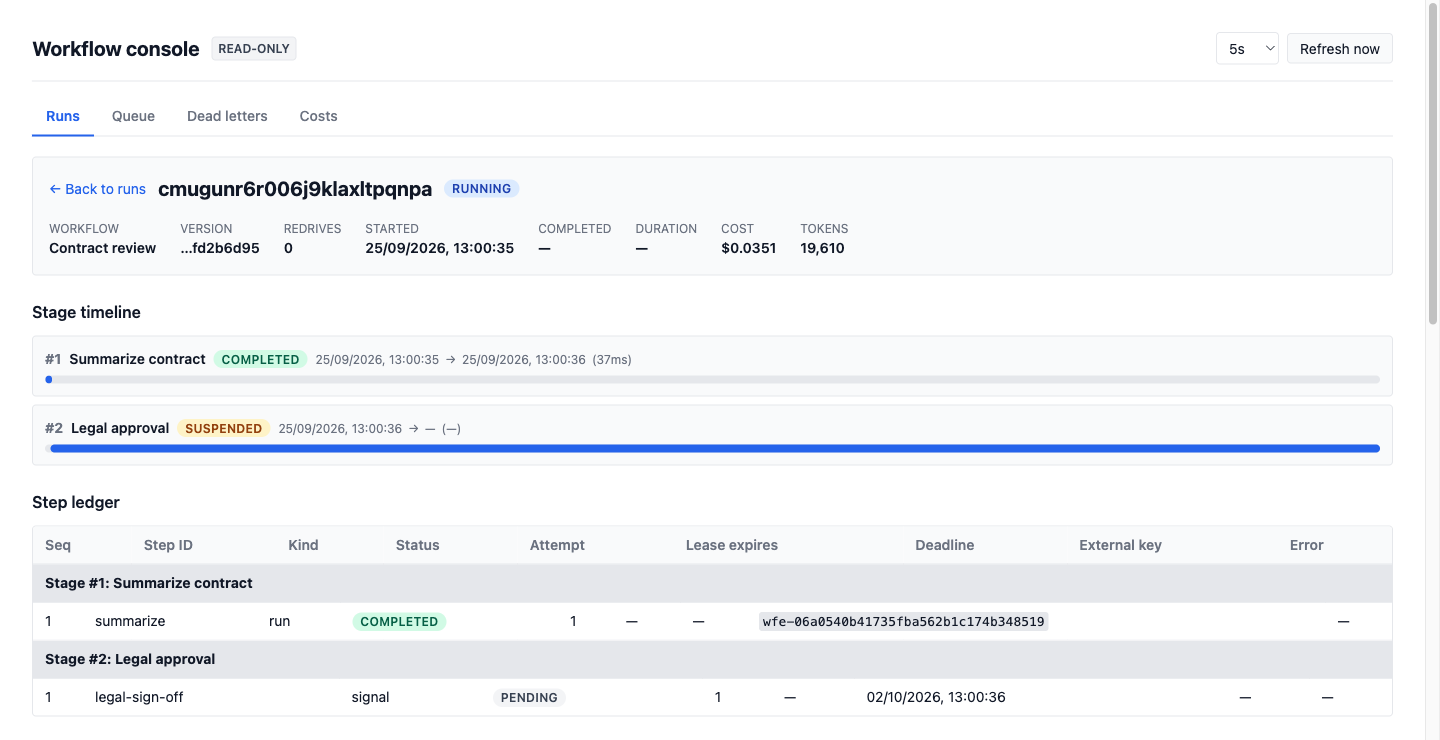
The run detail is the stage timeline plus, per stage, its step ledger:
every durable step with its kind (run, wait, signal, sleep),
status, attempt, lease and deadline (leaseExpiresAt, deadlineAt),
its error, and — on run steps — the externalKey the body was given, so
an operator can search a provider for an orphaned batch or charge without
the process that made it. Below that: the run's annotations (including the
engine-written run.supersededAttempt and step.outcome-conflict), logs
and the outbox event timeline.
Delivering a signal
A stage suspended on ctx.step.waitForSignal — the human-approval case —
is finished from the run detail: a step with kind === "signal" and
status === "pending" offers Deliver signal with a validated JSON payload
box. It dispatches step.signal through the kernel:
POST /api/runs/:runId/stages/:stageId/steps/:stepId/signal
{ "payload": { "approved": true } }   // optional; defaults to null
It is gated by authorize like every write (the context carries stageId
and stepId alongside runId), and the kernel's refusals become statuses:
an unknown run or stage is a 404, a step that is not a pending signal is a
409, both with the kernel's message.
Redriving a run
Rerun dispatches run.redrive, not the deprecated run.rerunFrom, so a
CANCELLED run can be redriven and the superseded attempt is archived
rather than deleted. The request takes from: { kind: "lastFailure" | "start" | "stage" } (fromStageId still means "from this stage"), and
definitionVersion: "latest" or a registered version; a malformed from is
a 400 rather than a silent fall back to one mode. The UI offers Redrive on
latest version on any run carrying a pinned version. The action name is
still run.rerun, so an existing authorize keeps matching.
Without a web application
A worker-only repository has nothing to mount into. workflow-console
serves the same handler on a local HTTP server:
npx workflow-console --config ./console.config.mjs
The config module builds the reader the way your own code does, which is
what keeps row-level security intact. It binds to loopback only and ships
no authentication — it is a development tool. Connecting it directly with
--database-url is possible but requires --allow-direct-connection,
which acknowledges that the connection is a second session and will not be
scoped by your policies.
Finding a run stranded on an old definition version
Definition versioning pins a
run to the structure it started under, and a run pinned to a version no
build serves any more sits there until someone redrives it. The runs list
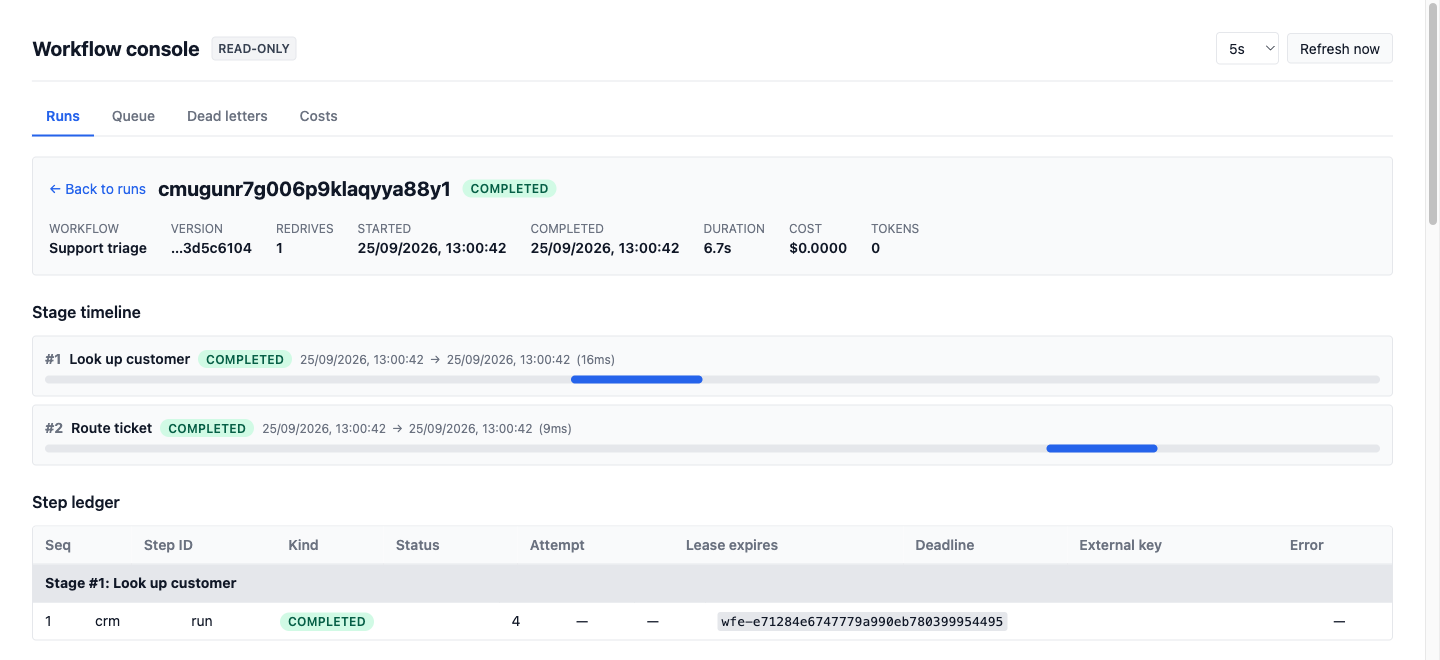
carries each run's definition version — shortened, with the full value on
hover — and its redrive count as a +N suffix, and the filter bar takes a
version, so "show me everything still pinned to the old version" is one
query:
GET /api/runs?definitionVersion=sha256-…
The run detail shows the same two fields next to the run's timings, which
is what an operator needs before deciding whether to redrive onto
"latest".
The indexes it needs
The console's list views are "newest first, optionally narrowed", paged on
a (createdAt, id) keyset. The reference schema carries the composite
indexes for exactly those orderings — see
Prisma setup. Without them the runs list
sequentially scans workflow_runs.
There is deliberately no total count and no page numbers: counting a large
run table is the expensive query the console exists to avoid issuing. A
query cancelled by statement_timeout comes back as HTTP 504 with a
query_timeout code, which the UI shows as an inline banner while leaving
the filter bar interactive, rather than hanging the page.
The full reference — every option, the action vocabulary, custom read ports, and what the console deliberately does not do — is in the package README.